Changing Modes on Pro-E
Printed From: Tippmann Paintball
Category: Paintball Equipment
Forum Name: Gun Maintenace and Repair
Forum Description: Important info for keeping your marker in top shape
URL: http://www.tippmannsports.com/forum/wwf77a/forum_posts.asp?TID=155930
Printed Date: 11 January 2026 at 8:54pm
Software Version: Web Wiz Forums 12.04 - http://www.webwizforums.com
Topic: Changing Modes on Pro-E
Posted By: Hybrid_v9
Subject: Changing Modes on Pro-E
Date Posted: 09 June 2006 at 11:05am
|
Hi, just got my Pro-E and I can't figure out how to change it to semi-auto, every time I think I have it, it goes into Turbo or something. Please help my dumb ass, thanks. -------------  |
Replies:
Posted By: Hybrid_v9
Date Posted: 09 June 2006 at 11:12am
|
I just want to get to Semi-auto and STAY there. ------------- |
Posted By: Hybrid_v9
Date Posted: 10 June 2006 at 10:48am
|
*bump* ------------- |
Posted By: cus98tom
Date Posted: 11 June 2006 at 9:44pm
| Download the manual from this site it has all the answers. |
Posted By: Hybrid_v9
Date Posted: 12 June 2006 at 7:20pm
|
I did and frankly it confused me. Can someone clarify it a bit? ------------- |
Posted By: Hybrid_v9
Date Posted: 13 June 2006 at 9:27pm
|
Anyone? (I feel like a **edited** for pestering the community like this but...) ------------- |
Posted By: Xscout
Date Posted: 16 June 2006 at 9:25am
|
http://www.wickedairsportz.com/manuals.php - http://www.wickedairsportz.com/manuals.php The forums on the WAS site are helpful, and they have a couple diferent e-grip manuals. This is presupposing your board is a WAS.
-------------  http://tacticalpaintball.freeforums.org"> http://tacticalpaintball.freeforums.org">
|
Posted By: tippya5extreme
Date Posted: 16 June 2006 at 9:16pm
|
get a screw driver that will fit the scre inside the grip. Setting/Off/Setting/Off and screw it to the setting you want ------------- http://imageshack.us"> 
tippya5extreme |
Posted By: Hybrid_v9
Date Posted: 21 August 2006 at 3:39pm
|
Thats not how my Pro-E is set up, theres just a button... ------------- |
Posted By: Bruce A. Frank
Date Posted: 21 August 2006 at 8:46pm
|
Are you sure you have an Electronic Trigger model? The only "button" that I am aware of is the safety. You are saying there are no screw driver access holes (two of them) on the front of the grip? ------------- 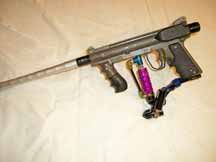 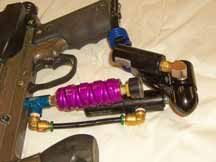
|
 Hybrid_v9 wrote:
Posted By: iceman1186
Date Posted: 21 August 2006 at 9:25pm
|
Pics would help us solve this problem alot quicker. ------------- 
|
Posted By: Hybrid_v9
Date Posted: 22 August 2006 at 12:37pm
|
its a stock pro-e ------------- |
Posted By: Hybrid_v9
Date Posted: 22 August 2006 at 12:41pm
|
yeah its a WAS board, i got it to work the other night, but i cant get it to shoot anymore ------------- |
Posted By: Hybrid_v9
Date Posted: 22 August 2006 at 1:07pm
|
This is what I'm doing Step 1) it says (To Turn on the Equalizer) "Press and hold the power button for 1/2 of a second until the LED lights orange, and release it. The LED should stay orange for a couple seconds then flash once, then blink orange to show normal operation." I do this, but instead of it flashing red, then blinking orange, as soon as I release the button, it stays solid red. What am I doing wrong? ------------- |
Posted By: Bruce A. Frank
Date Posted: 22 August 2006 at 2:00pm
Okay, so the WAS board version is different than what is in the manual. Have you tried to shorten that button push? Don't hold it at all...just a quick push. Have you tried holding it down longer to see if it cycles through a sequence eventually displaying the orange LED? Have you tried multiple pushes? (My son's Angel, with a WAS board, mode is set with button push sequences) Have you tried calling WAS on the phone to ask them? Have you called Tippmann's Pro Shop to ask them? -------------
|
Posted By: Hybrid_v9
Date Posted: 22 August 2006 at 2:59pm
|
Yeah I tried different button pushes, and no I haven't called em yet. I went to my local proshop and the owner said a LOT of people have trouble figuring this thing out ------------- |