98c mystery screw
Printed From: Tippmann Paintball
Category: Paintball Equipment
Forum Name: Gun Maintenace and Repair
Forum Description: Important info for keeping your marker in top shape
URL: http://www.tippmannsports.com/forum/wwf77a/forum_posts.asp?TID=162038
Printed Date: 14 September 2026 at 4:51pm
Software Version: Web Wiz Forums 12.04 - http://www.webwizforums.com
Topic: 98c mystery screw
Posted By: Kip114
Subject: 98c mystery screw
Date Posted: 24 November 2006 at 1:16am
|
I just purchased a 98c and can't find anywhere that it says what the
screw (flat head not alan) just above the trigger on the right reciever is for. It seems to be missing from all of the schematics. I would appreciate it if you could tell me what it does. |
Replies:
Posted By: Bruce A. Frank
Date Posted: 24 November 2006 at 1:28am
|
Can you post a picture? ------------- 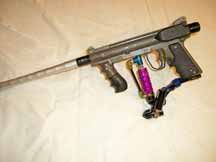 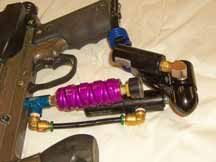
|
Posted By: Kip114
Date Posted: 24 November 2006 at 2:32am
|
I would love to post one, but I don't know how to upload the image
to this forum. |
Posted By: phil_stl
Date Posted: 24 November 2006 at 2:44am
|
Go to putfile or imageshack then load it to there open up your file and copy the web link and enter the link between: [IMG] enter link here [IMG] I think that is right. Btw I don't think there is a flathead screw. Is your gun used? maybe someone lost the other one and replaced it? |
Posted By: Snick
Date Posted: 24 November 2006 at 7:06am
|
okay....... is it in the hole dirrectly between the safety and the back valve lock screw? Basicly you have the following. ........(0).....(0) Basicly the two on the top are the valve lock screws. Does that answer your question? is that what you were refering to? -------------  
|
Posted By: Kip114
Date Posted: 24 November 2006 at 12:27pm
| YES that is it. Thank you very much! |
Posted By: Bruce A. Frank
Date Posted: 24 November 2006 at 2:45pm
|
It appears that all of the forums across the web using this style of softwear require the use of an on-web storage point so the pictures can be referenced for display rather than haveing to be stored in the forum. Go to one of the many file storage sites, I use Photobucket, and create a free account. You then upload your pictures to that account. Once there the picture has a URL. When you are posting a reply on these forums, you copy the URL for that photo, click on the "add image" javascript openWin'RTE_image_window.asp','insertImg','toolbar=0,location=0,status=0,menubar=0,scrollbars=0,resizable=0,width=400,height=200'"> The advantage of this set up is that any picture on the web can be displayed here in the forums. Since those pictures are already on the web, you right click on the picture, then click on "properties" then copy the URL for that photo to past back here to the forums. I use that to answer questions about certain products. I'll find the on-line store then copy their picture, by this method, back to this forum. (on occasion you will find a on-line catalog that will block use of a picture like that...there is a way around it, but it is a pain to implement.) This seems to be an arduous method, and it is, but once you establish an account you become quickly accustomed to the method. -------------
|
 Kip114 wrote:
 button and paste the URL of the picture. Click OK and the image appears in the post.
Posted By: FA22RaptorF22
Date Posted: 24 November 2006 at 7:39pm
|
I just use either {IMG}direct link{/IMG} or {URL="URL to main site"}{IMG}direct link{/IMG}{/URL} But with brackets  ------------- Please sign up at http://www.tippmannowners.com/ - http://www.tippmannowners.com/ and leave the referrer as me (FA22RaptorF22)and you will be my hero. |
Posted By: Bruce A. Frank
Date Posted: 24 November 2006 at 9:03pm
|
Yes, you can put it directly into the text of the post by using the HTML codes. Only problem I have found with that is that you don't see the image size or position until you post the reply to the forum. By using the "add image" button when you click OK the image appears in place on the page where you are writing at the moment. This gives you an idea of relative size and also allows you to put two or three images side by side (something that may not work as expected when inserting the codes directly into the text of the post). It is just a choice and the understanding (of HTML codes)of the person who posts a picture. In one of the non-paintball forums in which I participate, which uses virtually the same layout as the Tippmann forums, it is difficult to get a picture to appear unless you insert it via HTML *IMG* codes. -------------
|