New Computer working! Overheating?
Printed From: Tippmann Paintball
Category: News And Views
Forum Name: Thoughts and Opinions
Forum Description: Got something you need to say?
URL: http://www.tippmannsports.com/forum/wwf77a/forum_posts.asp?TID=177198
Printed Date: 30 January 2026 at 6:47pm
Software Version: Web Wiz Forums 12.04 - http://www.webwizforums.com
Topic: New Computer working! Overheating?
Posted By: WGP guy2
Subject: New Computer working! Overheating?
Date Posted: 31 July 2008 at 10:25pm
|
Computer has been up and running for a day. The temps seem a little high though. I have a 30 cfm intake fan on the lower front, a 30 cfm intake fan on the side blowing air over the video card (video card has a fan too). Then I have a 30 cfm exit fan on the back and a fan in the power supply. Specs: Intel Core 2 Duo 3.0 Ghz Processor Asus nForce750i SLI ATX mother board Geforce 8800GT 1 Gigabyte Video Card 500 Gigabyte 7200RPM SATA (3.0 Gb/s) HDD 3 Gigabytes of DDR2 RAM 500 Watt power supply at 10% cpu load: Mobo- Temp1: 57C Temp2: 47C Temp3: 22C HD0 35C ACPI Temp 1: 40C Processor- Core0: 47C Core1: 48C Video Card: Core: 61C Ambient: 49C 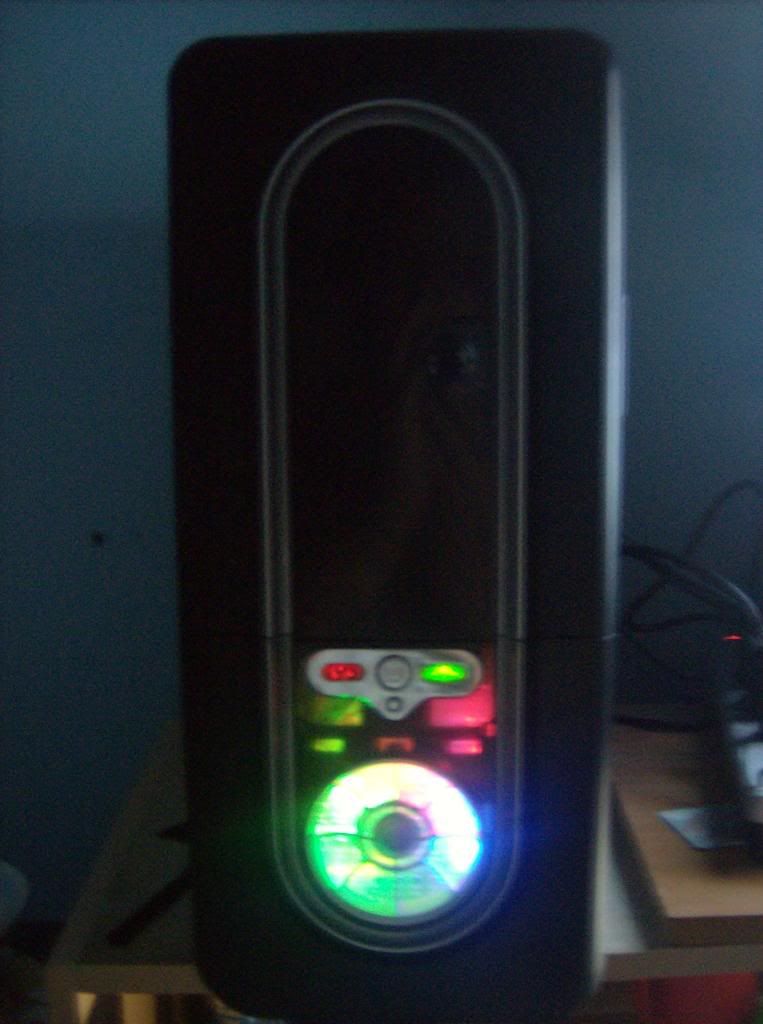 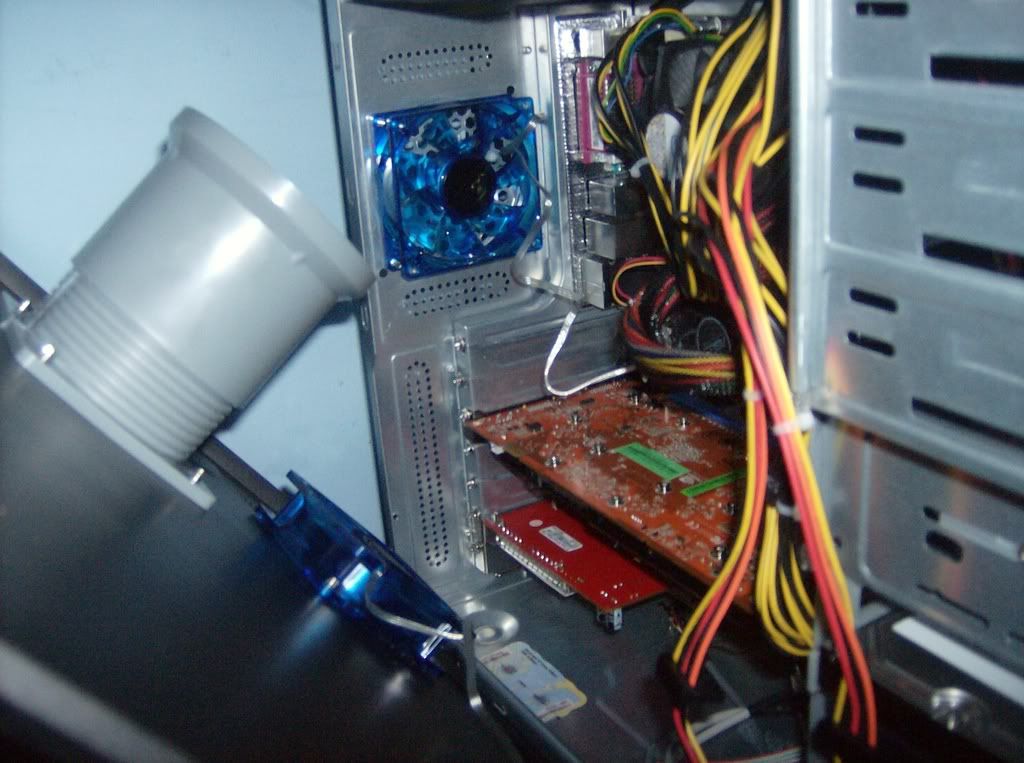 |
Replies:
Posted By: Pariel
Date Posted: 31 July 2008 at 10:29pm
| Pour ice on it. |
Posted By: High Voltage
Date Posted: 31 July 2008 at 10:31pm
|
Your video card sucks.
------------- 
|
Posted By: Pariel
Date Posted: 31 July 2008 at 10:41pm
You appear to have your mom confused with his video card. |
 High Voltage wrote:
Posted By: oreomann33
Date Posted: 31 July 2008 at 10:52pm
|
There's too many wires just go ahead and rip those out you don't need them.
------------- 
|
Posted By: High Voltage
Date Posted: 31 July 2008 at 10:53pm
Butthurt much? -------------
|
Posted By: WGP guy2
Date Posted: 31 July 2008 at 10:56pm
|
Actually my wires are pretty organized, even though it doesn look like it. They run on the top to the back of the optical drive, then down the side of the case, so it's pretty open. |
Posted By: WGP guy2
Date Posted: 31 July 2008 at 11:08pm
|
I'm pretty worried now. I did a stress test and at 100% load the cores were at 70 degrees and climbing when I shut it down. |
Posted By: Darur
Date Posted: 01 August 2008 at 1:17am
|
70 degrees is not horrible for full load on Intel cores, but its still more toasty then it should be. Under 80 and the cores won't degrade much faster then normal. The biggest problem I see is what looks like your 4/8pin cpu 12v cable runs right over your CPU fan, which will hurt airflow a lot. That 80mm fan in the back is doing nothing to help with exhaust from what I can see. On the whole I wouldn't worry too much about your temps. Unless your overclocking it wont affect you that much. If it really bugs you, pick up some Arctic Silver 5 or Ceramique and reapply your your HSF. You can also try lapping your IHS if you like, but be careful. There are some good guides out there if you try. The last option would probably be to buy a new HSF, but if it is your IHS that is the problem then this won't help much. ------------- Real Men play Tuba [IMG]http://img89.imageshack.us/img89/1859/newsmall6xz.jpg"> PH33R TEH 1337 Dwarf! http://www.tippmann.com/forum/wwf77a/log_off_user.asp" rel="nofollow - DONT CLICK ME!!1 |
Posted By: choopie911
Date Posted: 01 August 2008 at 1:50am
| Just dump a cup of cold water into it every hour or so. |
Posted By: WGP guy2
Date Posted: 01 August 2008 at 2:17am
|
Darur, the cable was loose and hanging over the cpu fan. I velcroed it to the upper part of the case so the fan is unobstructed now. About the fan in the back, I actually can feel more hot air exiting there than anywhere else. I applied arctic silver 5 to it when I installed the processor. Now I need to quiet the fans down a lot more. |
Posted By: JohnnyCanuck
Date Posted: 01 August 2008 at 3:00am
|
you may have put too little or too much thermal grease on it, my cpu had to have just the right amount before it ran at normal temps.
------------- Imagine there’s a picture of your favourite thing here. |
Posted By: Snake6
Date Posted: 01 August 2008 at 7:30am
|
You have a stock HSF and thermal paste. Get some artic silver 5 and a good cooler. 70* C at load is normal for a stock cooler. ------------- 
|
Posted By: Eternal_SiR
Date Posted: 01 August 2008 at 10:24am
|
i had the same issue with my dual core 3.2. my fix was proper fan orientation, whichs fans are intakes and which fans are exhaust? a rule of thumb, lower fans should be intake and higher fans should be exhaust.. is the side case fan and intake or exhuast? Another good thing to get is a new CPU cooler.. i bought a new one as the OEM ones suck.. and it made a world of a difference. i got somethign similiar to this..
------------- Tippmann ABT J&J 14" Ceramic Barrel Front Foregrip Red Dot JSC power tube Front bolt APE V2.0 Rampage board Cyclone Squishy Paddles Vortex Mod QEPH Lightning Rod X7 Hopper w/ silent mod |

Posted By: High Voltage
Date Posted: 01 August 2008 at 10:38am
|
Zalman CPU heatsink/fan ftw.
-------------
|
Posted By: Benjichang
Date Posted: 01 August 2008 at 10:56am
|
Definitely ditch the stock heatsink and fan and invest in a good aftermarket one. The Zalman one is pretty good. I've been using a Thermaltake one for the last 4 years, and it's worked great so far.
-------------  irc.esper.net #paintball |
Posted By: WGP guy2
Date Posted: 01 August 2008 at 11:53am
Nah, I wiped off the stock thermal paste and put arctic silver 5 on it. I was using speedfan but I read somewhere the it isn't mean for 65nm intel chips, so I got a program that was recommended to use for my application. It says I'm idling at 39-41 instead of mid 50s like speedfan did.
On my video card, there is a fan on the end closest to the harddrives. Behind that stretching almost the whole length of the card there is a heat sink. The fan on the side sucks air in and blows it over the heat sink. |
Posted By: Pariel
Date Posted: 01 August 2008 at 12:37pm
You should use more complicated syntax than the double period. |
Posted By: mod98commando
Date Posted: 01 August 2008 at 5:02pm
|
The stock cooler is likely the reason your temps are a bit high but what is the air temp in the room you have the computer in? Without a doubt, you can lower your temps with an aftermarket CPU cooler but if the computer is in a scorching hot room then there's only so much you can do anyway. I have a Thermaltake Blue Orb on this processor and it handles things pretty well (S939 Opteron 165 @2.6GHz, 40*C idle/54*C load). I have a HTPC downstairs using an old P4 Prescott (notorious for running hot) with crummy case ventilation and a Zalman CNPS cooler (forgot which but looks like the Thermaltake orbs) and it keeps that thing real chilly, I think it was idling at 25* or 29* last time I checked and the room was even a little warm. Also, keep in mind that your temps will drop a little as the thermal paste cures so temps may drop about 5* or so. ------------- oreomann33: Everybody invades Poland Rofl_Mao: And everyone eats turkey Me: But only if they're hungary Mack: Yeah but hungary people go russian through their food and end up with greece on everyth |
Posted By: WGP guy2
Date Posted: 01 August 2008 at 10:10pm
|
My solution: http://www.youtube.com/watch?v=uo4dAWKoHy0 - http://www.youtube.com/watch?v=uo4dAWKoHy0 |
Posted By: Darur
Date Posted: 01 August 2008 at 10:26pm
|
Your fan might be marginally effective if the HSF was oriented to draw air from the front or back of the case (a tower-style cooler, like the one eternal linked), but your HSF draws air from the side panel so all you've done is make air move a lot faster in the case. In cases with HSF like yours, this is generally far less helpful, if not harmful, because the air is moving so fast your HSF may have a hard time drawing in enough air to cool itself. It also tends to interrupt the rest of the case airflow. Also, without a duct system that won't do much at all. Most people use their fans around the middle of its specified speed range because the fan blades create a fairly steady column of air around this speed. To much faster then this, however, it actually forces the air out in an umbrella shape leaving the area in the middle of the fan without much airflow. Finally, with airflow as high as what your describing, its liable to damage components by blowing off capaciters or inductors or forcing fans to spin in speeds and directions they don't normally. Honestly, I'd just leave it be. Your computer will be fine at those temps, your not overclocking and your computer isn't crashing randomly, its not a serious problem. What I forgot to mention earlier is that the best application for monitoring your temps on an Intel platform will be Coretemp, search for it. All applications are never 100% certain, but Coretemp is designed for the intel temp diode so it gives reasonabley accurate readings. Good luck! ------------- Real Men play Tuba [IMG]http://img89.imageshack.us/img89/1859/newsmall6xz.jpg"> PH33R TEH 1337 Dwarf! http://www.tippmann.com/forum/wwf77a/log_off_user.asp" rel="nofollow - DONT CLICK ME!!1 |
Posted By: Snake6
Date Posted: 01 August 2008 at 11:41pm
You are kidding, right? -------------
|
Posted By: WGP guy2
Date Posted: 02 August 2008 at 12:01am
Yes. It really doesn't help much. |
Posted By: impulse!
Date Posted: 02 August 2008 at 1:33am
I would kill myself if I had to listen to that thing. ------------- 
|
Posted By: mod98commando
Date Posted: 02 August 2008 at 11:39am
|
Haha, nice. I had a Vantec Tornado 80mm fan on my old computer as an exhaust fan by my CPU and it sounded similarly loud but more like a vacuum. The thing moved a buttload of air and could drop temps a few degrees but it was so freakin loud. I think it moved like 80 cfm or so at like 6,000 rpm. Needless to say, I've since embraced 120mm fans for their ability to move tons of air without making my ears bleed.
------------- oreomann33: Everybody invades Poland Rofl_Mao: And everyone eats turkey Me: But only if they're hungary Mack: Yeah but hungary people go russian through their food and end up with greece on everyth |
Posted By: Pariel
Date Posted: 02 August 2008 at 12:14pm
| Why haven't you poured ice into it yet!??!?! A $1.79 7LB bag will last you like a week. |