
|
Building New PC |
Post Reply 
|
| Author | |
¤ Råp¡Ð F¡rè ¤ 
Gold Member 

This title is just way too old Joined: 20 May 2003 Location: United States Status: Offline Points: 1090 |
 Post Options Post Options
 Thanks(0) Thanks(0)
 Quote Reply Quote Reply
 Topic: Building New PC Topic: Building New PCPosted: 04 July 2008 at 5:43pm |
|
So I'm finally building my first PC, and I need some advice on whether or not these components are good choices and if they are compatible.
Pulling out of an existing computer (trying to save some money):
Total cost: ~$890 Total cost after rebates: ~$780 Now this computer will be used as a family computer, but mostly for gaming and a little school work. Photoshopping every once in a while, using Microsoft Office, and playing games mainly. Games looking to play:
So, hows the system look for the games/uses listed? Are all of the components compatible? After reading some reviews on the Q6600, some people were complaining about Intel's stock cooler. I don't plan on overclocking it any time soon, so will I be fine using the stock cooler? Also, does the Q6600 come with thermal paste, or do I need to order some Arctic Silver or something? I've also never applied thermal paste to a CPU or even installed a CPU for that matter, so any help is appreciated. It seems like a lot of people upgrade/replace parts quickly... do these components tend to have short life-spans? I would like this PC to go for at least 3 or 4 years without having to replace something. |
|

|
|
 |
|
|
carl_the_sniper
Platinum Member 

Strike 1 - 7/29, Bad Linky Joined: 08 April 2006 Location: Canada Status: Offline Points: 11259 |
Post Options
Thanks(0)
Quote Reply
Posted: 04 July 2008 at 6:01pm |
|
If battlefield bad company comes to pc, you may not be able to run it well.
Otherwise, you should be able to run all those games on high with that setup. |
|
|
<just say no to unnecessarily sexualized sigs>
|
|
|
|
|
techietaichi
Gold Member

Proud American Joined: 31 August 2002 Location: United States Status: Offline Points: 1601 |
Post Options
Thanks(0)
Quote Reply
Posted: 04 July 2008 at 6:10pm |
|
Dude you already knew it was decent. C'mon!

Anyways, depending on what you're playing you're gtg for most. Besides it doesn't take much to upgrade, just wait til you get to that bridge. And hey, trick out the case bro. 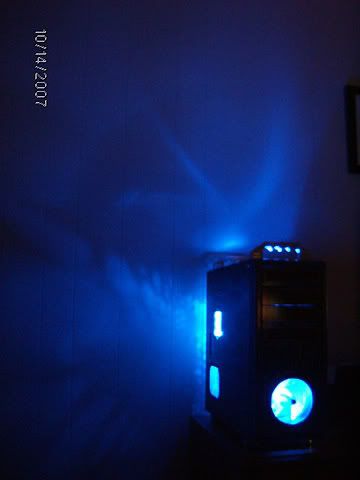
notice the skull on the wall. 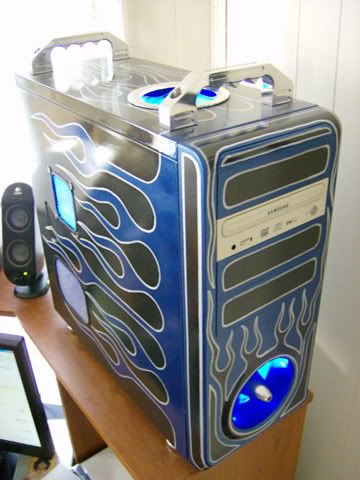
Been almost a year since I modded. I need to get off my lazy arse. |
|

|
|
|
|
|
Darur
Platinum Member

Stare directly into my avatar... Joined: 03 May 2003 Location: United States Status: Offline Points: 9178 |
Post Options
Thanks(0)
Quote Reply
Posted: 04 July 2008 at 7:04pm |
|
Looks like a decent set-up.
I would tend to steer away from Nvida chipsets on Intel set-ups simply because they tend to be way overpriced for what you get and SLI isn't really worth it, but you wont see any serious drawbacks unless you overclock. I would probably recommend against the 8800GT unless your still folding. Right now its the best performer for watt per PPD (Nvida's new client is getting on average 5000 PPD with a single card), but in terms of gaming ATI's new offerings are kicking Nvida's latest. The 4850 dominates the 260 GTX for several hundred dollars less. You might also want to replace that hard drive you have listed with WD 640GB drive. Its using two 320GB platters which is giving it sustained read and write speeds better then any other 7200 RPM drive. The stock cooler should work ok, but its not that great. You can make it run a little better with some decent thermal compound. Ceramique would be a good bet, however a lot of the OC community is talking about IC Diamond Paste which works great with higher pressure heatsinks. I don't know much about the stock processor mounting system but if it has screws to apply pressure, IC diamond would probably work well. As for applying paste, usually a small drop the size of a grain of rice will work with thinner pastes, just use the heat sink to spead it across the heatspreader. Remember the cores are all you want to cover and they are in the middle. Too much paste will inhibit heat transfer so don't go crazy with it. If you use IC 7, the manufacturer's website has a great guide for applying it because its consistency is much thicker then other pastes. Most of the time you see people changing parts frequently they are just buying the latest and greatest. My rig is almost 3 years old and with the exception of my RAID card (><), nothing has died /knock on wood. With poor cooling, your CPU may die young, but it should last at least 3 or 4 years. Other then that it should be a great build, good luck! Edited by Darur - 04 July 2008 at 7:06pm |
|
|
Real Men play Tuba
[IMG]http://img89.imageshack.us/img89/1859/newsmall6xz.jpg"> PH33R TEH 1337 Dwarf! DONT CLICK ME!!1 |
|
|
|
|
mod98commando
Platinum Member

Joined: 10 June 2002 Location: United States Status: Offline Points: 4432 |
Post Options
Thanks(0)
Quote Reply
Posted: 04 July 2008 at 7:12pm |
|
Hey, I have those same speakers for my school computer, hehe.
Anyway, the parts listed should be more than adequate for the application. Check prices on www.tigerdirect.com and www.zipzoomfly.com too before you order though, sometimes one of them will have a better price on some stuff but not others. If your CPU is a retail package (not OEM) then it will most likely come with some kind of thermal goo but it probably won't be anything special. You might want to just grab a small tube of arctic silver anyway. The stuff is cheap and it works real well, I use it for everything. Also, a 500 GB drive is only about $80-90 these days and you'd be surprised how fast you can fill that space with games and downloads and whatnot. You might want to spring for the bigger drive just so you don't have to worry about it later. As for the fast upgrade cycle, that's just the nature of technology. Everything gets outdated extremely fast now but that doesn't mean it's useless. This computer was built about a year or 2 ago and newer systems could run circles around it but it still handles all my stuff pretty well, especially after a few upgrades. Originally it was:
|
|
|
oreomann33: Everybody invades Poland
Rofl_Mao: And everyone eats turkey Me: But only if they're hungary Mack: Yeah but hungary people go russian through their food and end up with greece on everyth |
|
|
|
|
Post Reply
|
|
 Tweet
Tweet
|
| Forum Jump | Forum Permissions You cannot post new topics in this forum You cannot reply to topics in this forum You cannot delete your posts in this forum You cannot edit your posts in this forum You cannot create polls in this forum You cannot vote in polls in this forum |


 Topic Options